
Yasmin Bayer Langkilde
As a Multimedia designer, I work with SoMe content, rebranding, web design, graphics to illustrations. Studying multimedia design at Zealand Køge has given me a broad toolbox — but what really drives me is the energy and excitement of exploring new projects and creative challenges where i can learn and grow.
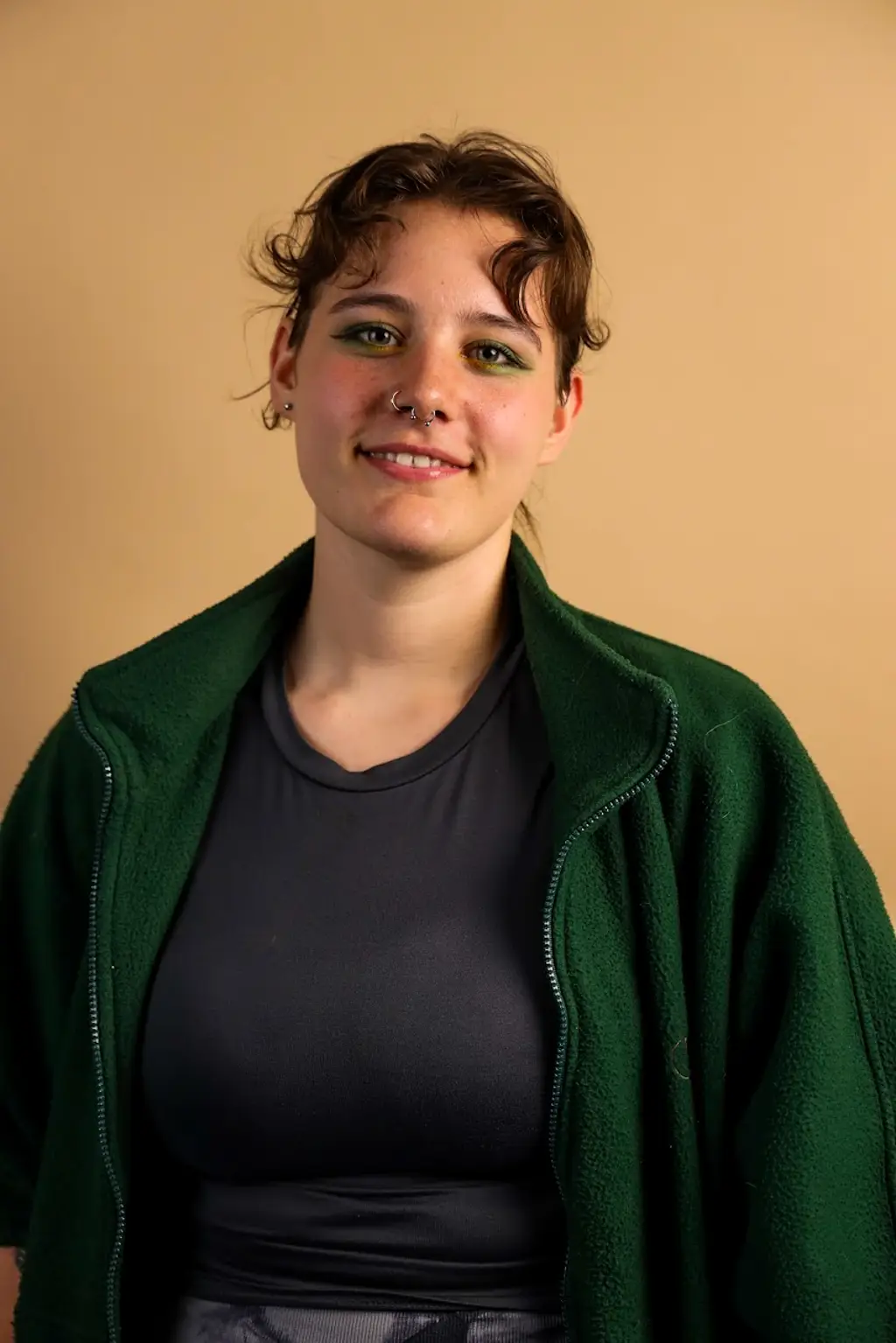
Who am i?
My name is Yasmin Bayer Langkilde, and I’m studying Multimedia Design at Zealand Køge.
I’m 22 and live in Køge. In my personal time, I divide my days into a lot of different things, such as working part-time jobs for both school and at Netto. I love spending time with my friends and family, and in general, going out to do activities like biking or going on adventures to capture great pictures. When I’m at home, I tend to watch series and movies, play games with friends, and on the side, I love to draw, paint, and try out new things.
Through these hobbies, I found a passion for design. I use Illustrator to create line art, which I’ve used for embroidery on clothing to give it a unique touch. I even taught myself how to use Ink/Stitch so I could make it happen. I’m a really curious person and love bringing things to life—turning digital ideas into physical creations. I also LOVE plants, and I might have “too many,” but that’s just part of my charm!
My Skills & Strengths
Through hobby and school projects, I have worked with Adobe Creative Cloud applications, Canva, Figma, and WordPress. I developed strengths, and have tried a lot of the applications Adobe Creative Cloud has to offer.
Illustrator
I use Illustrator to create everything from logos and icons to detailed vector illustrations. When working on more complex visuals, I often combine Illustrator with Photoshop to add texture and depth while keeping the designs precise and scalable. I like my work to be structured but with a sense of freedom—designs that feel dynamic, unique, and full of personality. Through a mix of hobby and school projects, I’ve grown very comfortable using Illustrator as one of my main creative tools.
Photoshop
I mainly use Photoshop together with my drawing tablet to create graphic visuals that blur the line between handmade and digital. My work focuses on graphic design, including textures, compositions, and digital illustrations. I enjoy experimenting with layers, brushes, and effects to bring depth and personality to my designs, creating visuals that are both unique and striking. By combining creativity with precision. Through drawing, hobby work, and school projects, I’ve become very comfortable using Photoshop.
Figma
I use Figma to design and improve websites and digital products. I enjoy creating designs that are visually pleasing and easy to use, with a smooth and natural flow. My process covers everything from wireframes and prototypes to polished, high-fidelity interfaces. I focus on understanding user needs, iterating on feedback, and ensuring that every design is both functional and engaging, balancing aesthetics with usability.
WordPress
I’m currently exploring WordPress and learning to build and manage websites, from customizing themes to developing more complex sites. While I’m still gaining experience, I enjoy experimenting with responsive design, content structure, and usability. I see a lot of potential in WordPress, and the more I work with it, the better I can combine design and functionality to create websites that are both visually appealing and practical for users. My portfolio is built with WordPress and serves as a showcase of what I am currently capable of. I continue to work with WordPress regularly to improve my skills and keep progressing as a designer and creator
Canva
I mainly use Canva for moodboards and creating simple, realistic visuals like Facebook and Instagram posts. It’s a fast and efficient tool that allows me to produce polished mockups for social media and marketing materials. Even though it’s user-friendly, I enjoy experimenting with layouts, typography, and content to make each design visually engaging and professional. Canva is a great way to quickly bring ideas to life and communicate concepts in a clear, appealing way.
InDesign
In my InDesign projects, I craft magazine layouts, posters, and grid-based designs that balance structure with creative freedom. While I work precisely within grids, I intentionally break them at times to create standout, visually exciting moments. By integrating graphic elements made in Illustrator and Photoshop, I add texture, depth, and personality, making each layout dynamic while still maintaining harmony with the underlying structure.